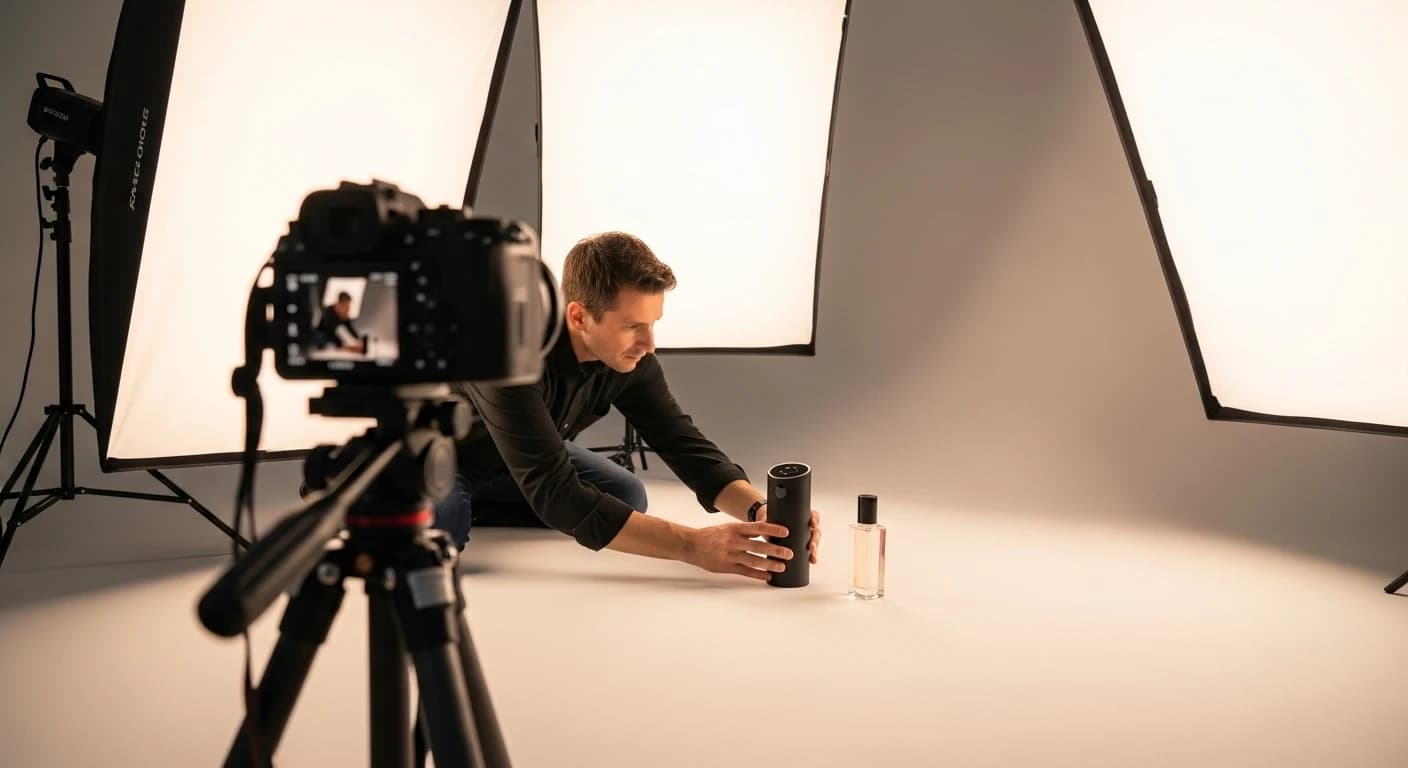
When a visitor lands on your product page, roughly 80% of the purchase decision is locked in during the first three seconds of looking at the image. No matter how good your product is, if the photo is dull the visitor leaves for a competitor. This guide walks you through the 2026 e-commerce standard for studio-grade product photography — both the classical route and the modern AI-assisted workflow.
Why Product Photography Is E-Commerce's Biggest Lever
Your customer cannot touch the fabric, check the stitching, or try it on. The image is the only trust bridge. A great product photo:
- Raises conversion — a clean, well-lit, model-on shot routinely doubles add-to-cart rate.
- Lowers returns — a realistic rendering of how the item sits on a body closes the expectation gap.
- Cuts ad spend — Meta and Google ads reward high-CTR creatives with lower CPM.
- Feeds SEO and AI search — well-structured images get indexed better by Google Shopping and next-gen AI shopping agents.
1. Essential Gear for a Classical Shoot
If you go the traditional studio route, here is the minimum kit on a reasonable budget. A professional DSLR is not required — any phone made since 2024 can produce publishable results.
- Camera: iPhone 15+, Pixel 8+, or any APS-C DSLR. 4K and HEIF support matter.
- Tripod: 150 cm+ fixed tripod. Handheld kills sharpness and kills series consistency.
- Backdrop: 2×3 m white paper roll or washed muslin. $20-40 at any art supply shop.
- Lighting: Two 60W softboxes plus a reflector. Window light works too; it just drifts hour to hour.
- Mannequin or model: A ghost mannequin is the baseline for apparel. A real model is ideal but not required.
2. Lighting: The Skeleton of the Photo
70% of the difference between amateur and professional product photos is lighting. Your target is a three-point setup: key, fill, rim.
- Key light: 45° front-left or front-right of the product, behind a softbox. No hard shadows.
- Fill light: opposite the key, about 50% weaker. Softens the counter-shadows.
- Rim light: behind the product, separates it from the backdrop. Creates that subtle edge glow.
- 5500K daylight is the color-temperature standard. All three lights must match or post-production turns into hell.
3. Composition and Shot List
2026 e-commerce expects a minimum of five distinct shots per product. This is the rich-result threshold for Google Shopping and directly affects whether you sit at the top of category pages.
- Hero — white background, product centered, proportional crop.
- Front wide — clean silhouette.
- Detail / macro — fabric weave, stitching, buckle; anything that signals quality.
- Context / on-model — the product in use or worn.
- Scale reference — hand, mannequin or a known object for size.
4. The New 2026 Standard: The AI-Assisted Workflow
A classical shoot takes 3-5 days and the model + studio bill for one collection can hit $2,000-$4,000. AI generation gives you the same output in minutes at roughly 5% of the cost. By 2026 the question is no longer "does AI look fake?" — it is "which platform delivers consistent quality?"
VibeStil's workflow is simple: upload your ghost-mannequin or hanger shot, pick a studio scene and a model profile, and within seconds the system outputs a realistic model-on image. Producing the same collection across 20 locations × 5 model profiles is a volume impossible in a traditional shoot.
- Apparel shots: AI Outfit Studio — ghost mannequin → realistic model-on.
- Accessories (jewelry, bags, eyewear): AI Accessory Studio — worn poses or lifestyle scenes.
- Product video: AI Video Studio — turn a single still into a short model-in-motion clip.
5. Editing: The Post-Production Checklist
Whether you shot with a camera or generated with AI, every image must pass this checklist before going live:
- Lock white balance — set it to 5500K using a gray-card reference.
- Clean the area around the product — no dust, no stray threads, no hot spots.
- Standardize ratio and crop — all product photos on one ratio (e.g. 4:5 Instagram, 1:1 list).
- Compress — target 80-120 KB for a 1200×1200 image. LCP is a critical Core Web Vitals score in 2026.
- Ship in a modern format (WebP or AVIF). Next.js
<Image>handles this automatically.
6. Publishing and Micro-SEO Optimizations
Shooting the photo is not the finish line. To make your images findable in both Google and AI-agent search:
- Write rich alt text — instead of
womens-leather-jacket-black-m.webp, use "Women's Black Biker Leather Jacket, Size M, Front View". - Align filename with the product title — Google Image Search reads it directly.
- Add schema.org Product + Image JSON-LD.
- Give every color/size/pattern variant its own dedicated image — Google Shopping does not interpolate between variants.
For an e-commerce brand to stay alive today, each SKU needs 10+ high-quality images. That math does not work with a classical studio; an AI workflow is no longer "nice to have" — it is a cost-survival requirement.
Which Route Should You Pick?
If your budget is generous and your brand story is anchored to a specific model identity, a classical studio still makes sense. But if you run fast collection cycles, need to A/B test variants, or you are a founder launching a first collection with minimal capital, the 2026 answer is clear: the AI-assisted workflow. A free VibeStil account gives you enough credits to run your first tests and compare conversion against any legacy shoot you have.
Frequently Asked Questions
What is the minimum number of product photos required for e-commerce?
The 2026 standard is a minimum of five images per SKU: hero (white background), wide front, detail/macro, in-context/on-model, and a scale reference. This is the threshold Google Shopping uses to surface rich results and rank a listing near the top of a category.
Does Google penalize AI-generated product photos?
No. Since Google's March 2024 update, the evaluation is not whether a photo was made with AI but whether it adds value to the user. AI images that represent the product accurately carry the same SEO weight as manual shoots and often rank better because of their higher technical quality.
Can a phone camera produce professional results?
Yes. iPhones from the 15 generation onward, Pixel 8 and later, and similar phones support RAW and HEIF capture. With a tripod, good lighting, and a stable backdrop, you reach results close to a DSLR. Scalability is the weakness — a 200-SKU collection takes weeks.
Can I turn a ghost-mannequin shot into a professional on-model image?
Yes. VibeStil's AI Outfit Studio performs exactly this conversion in seconds: you upload a ghost-mannequin or hanger shot, pick a model and environment profile, and the system produces a realistic model-on image.
What is the ideal resolution and file size for a product photo?
Shoot at 2000×2000 and export to 1200×1200 for web. Target 80-120 KB in WebP or AVIF — this range preserves detail without hurting your Core Web Vitals LCP score or mobile load time.
Does using non-white backgrounds hurt SEO?
Your main listing image must be on white — this is mandatory for Google Shopping and most marketplaces. Lifestyle backdrops are recommended for the gallery images because they lift conversion. The best strategy is one white-background hero plus three to four lifestyle gallery images.